
Private self-reflection · iPhone & iPad
A little space to understand your day.
Reflexy is a private journal for self-reflection. Record a moment, explore how you felt and what you needed, and connect your reflections with everyday actions.
For iPhone and iPad · iOS 17 or later · No Reflexy account needed
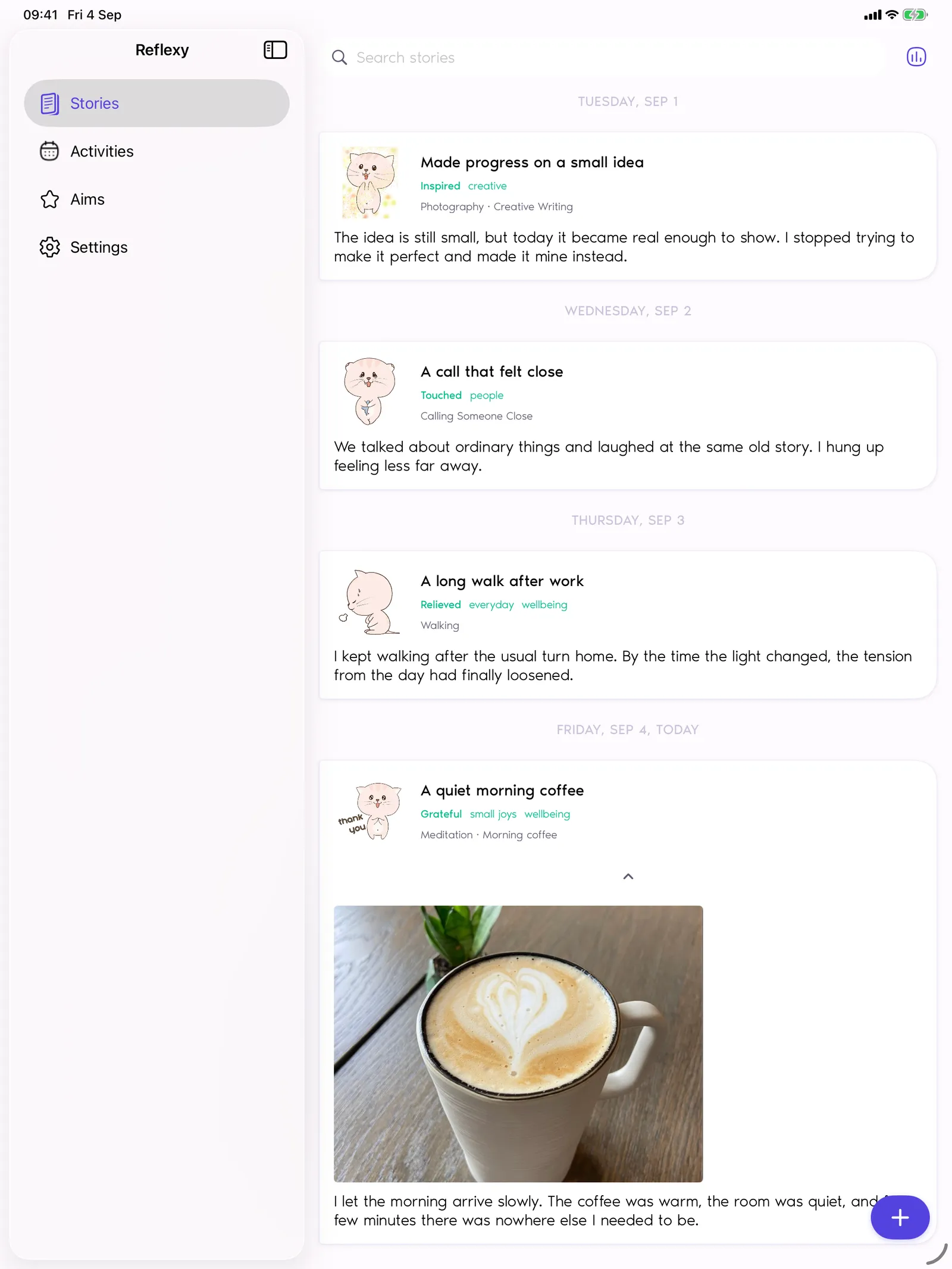
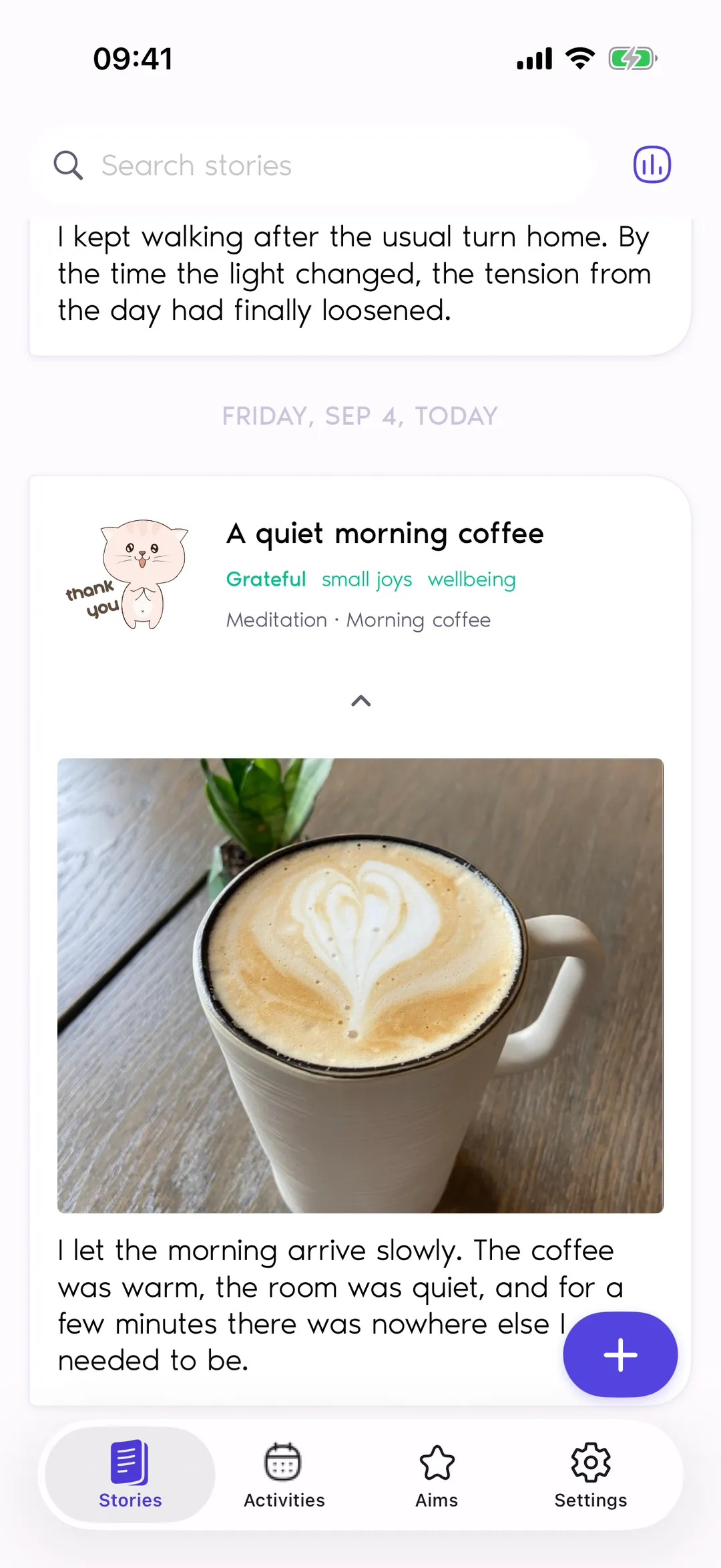
Friday, Sep 4 · Today
Morning coffeeA quiet morning coffee
I let the morning arrive slowly. The coffee was warm, the room was quiet, and for a few minutes there was nowhere else I needed to be.
Feelings
- Grateful8/10
- Relieved9/10
- Comfortable6/10
Needs
- Rest
- Appreciation
- Peace

Everyday moments
For the moments you want to think through.

A conversation that stayed with you
Write down what happened. Name the feelings that came with it and the needs you want to pay attention to.

A good moment you want to remember
Keep a few words or a photo. Give the ordinary things you value a place in your journal, too.

A change you want to make
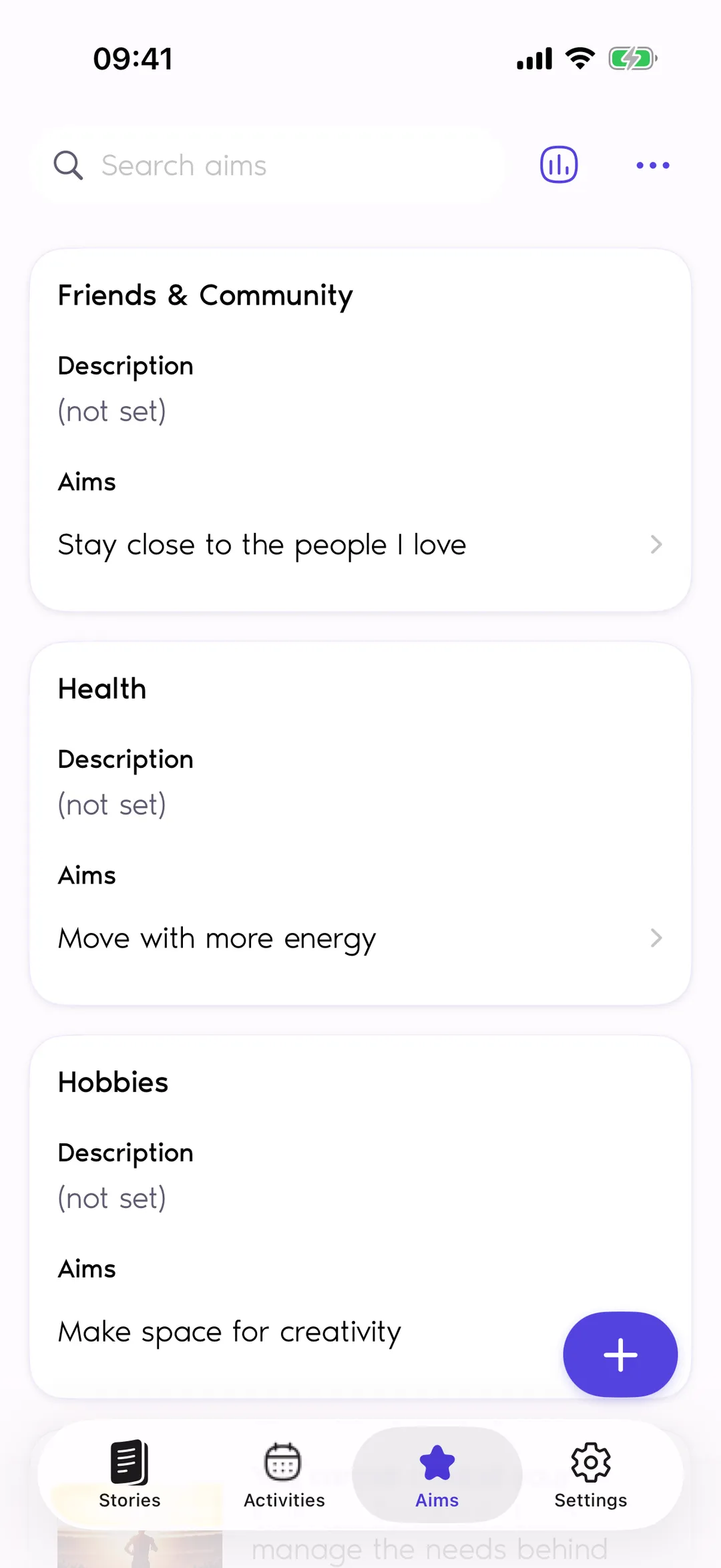
Turn an intention into an Aim, connect it to Activities, and associate an activity with an entry when it belongs to that story.

A day with very little time
Choose the entry steps that work for you. Text and a photo are optional, so a short reflection can still have a place here.
How reflection works
Start with a moment. Follow what matters.
- 01
Capture your Story
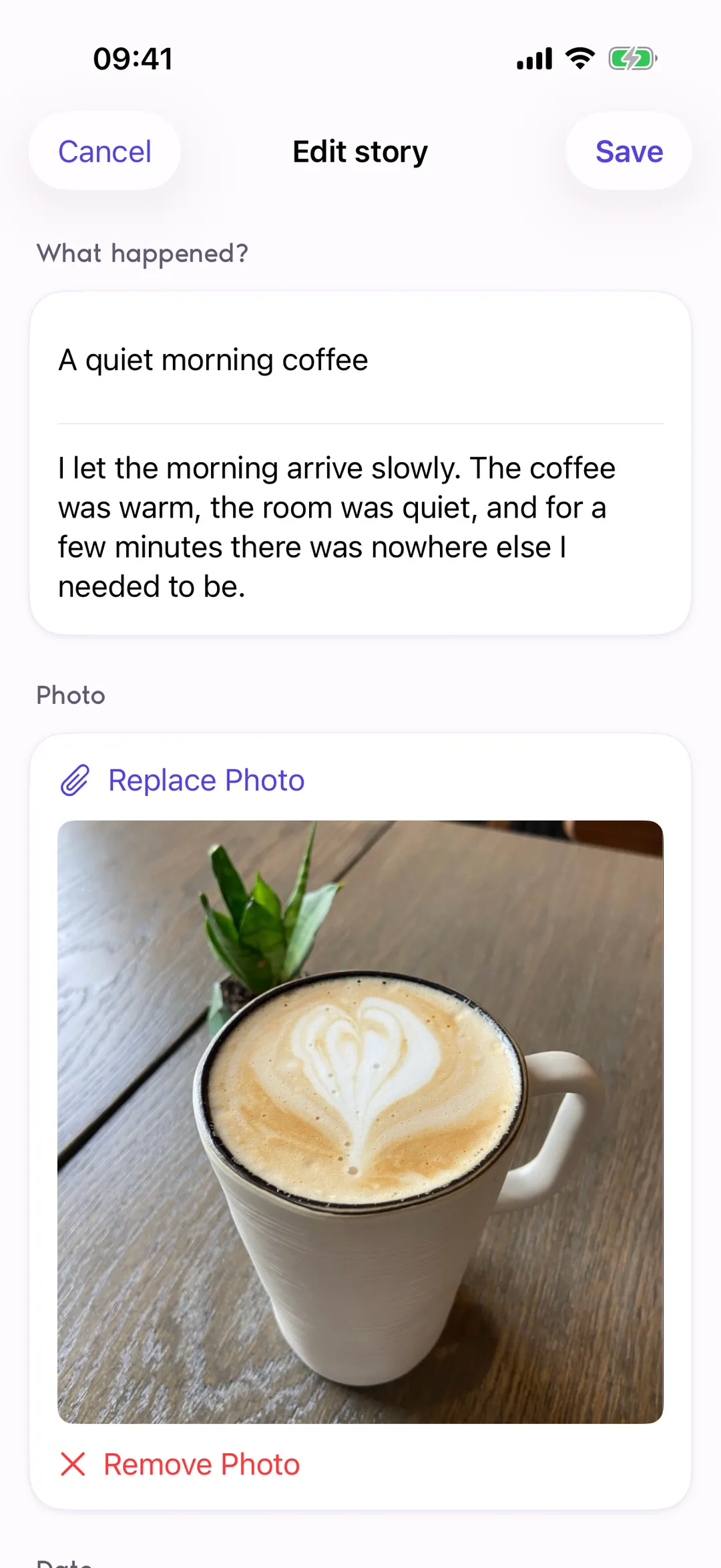
A Story is an entry about something that happened. Add text, one photo, or tags when they help you remember it.
- 02
Name your feelings and needs
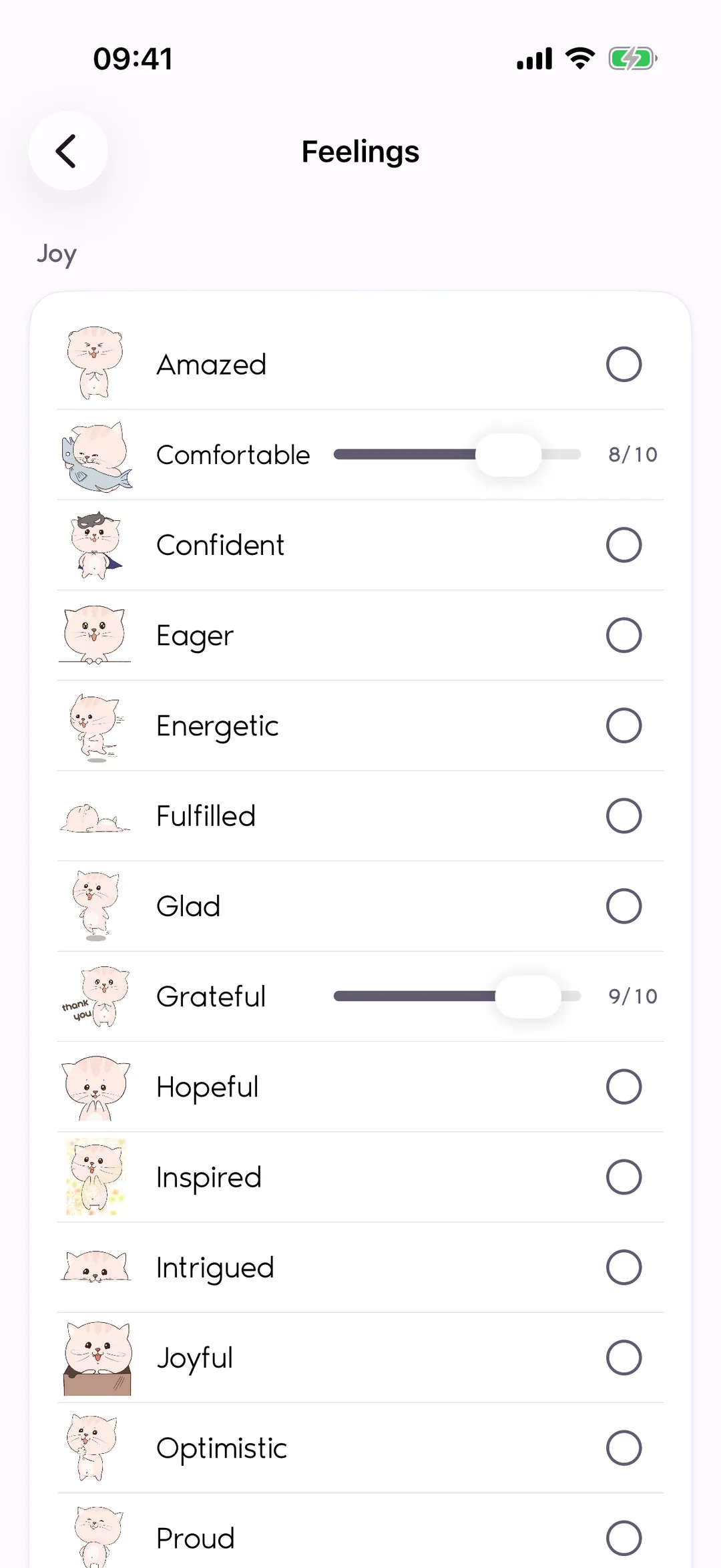
Choose more than one feeling and rate each feeling's intensity from 1 to 10. Add the needs that feel relevant to that moment.
- 03
Connect reflection with everyday life
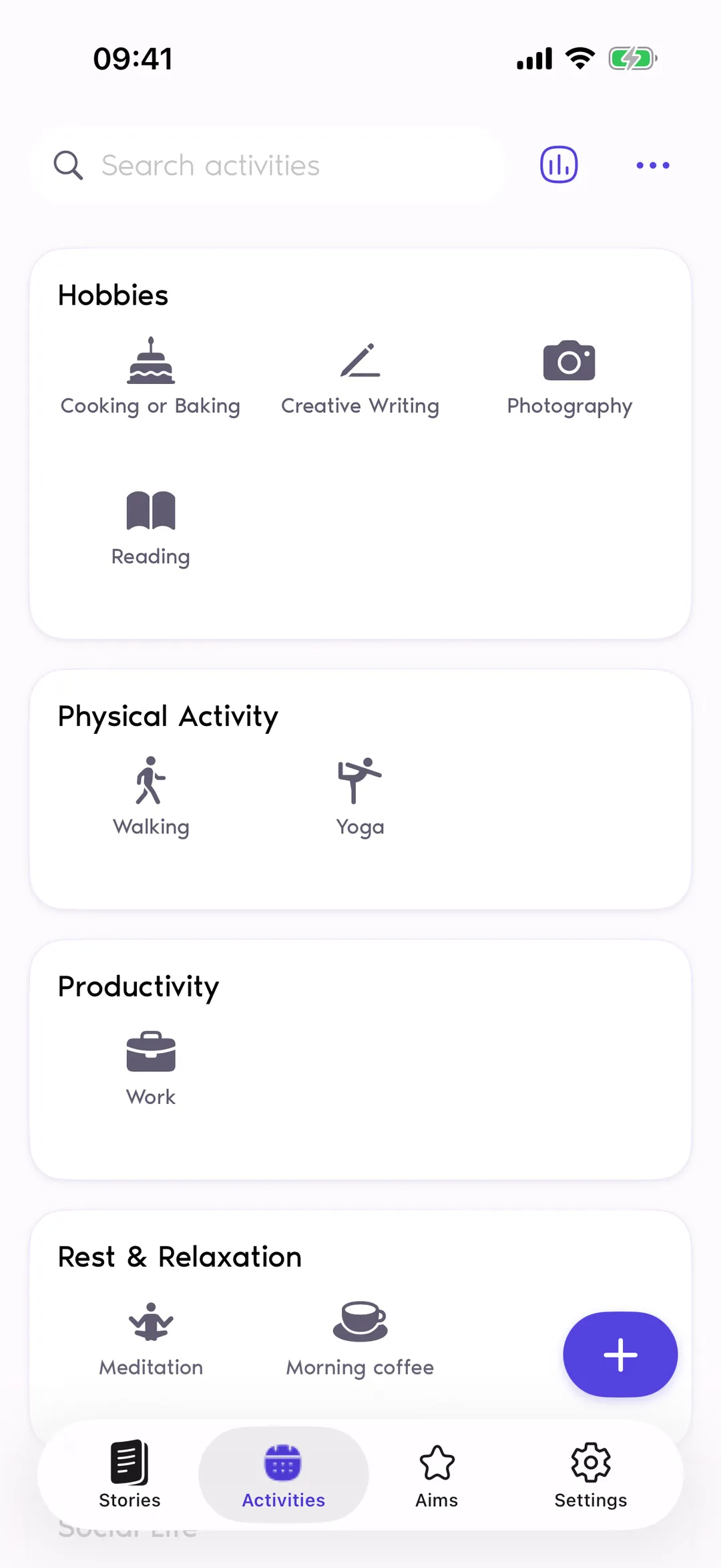
Keep your goals as Aims and link them to Activities. Bring those activities into your Stories as you reflect on your experiences.
Feelings and needs
Put feelings into words.
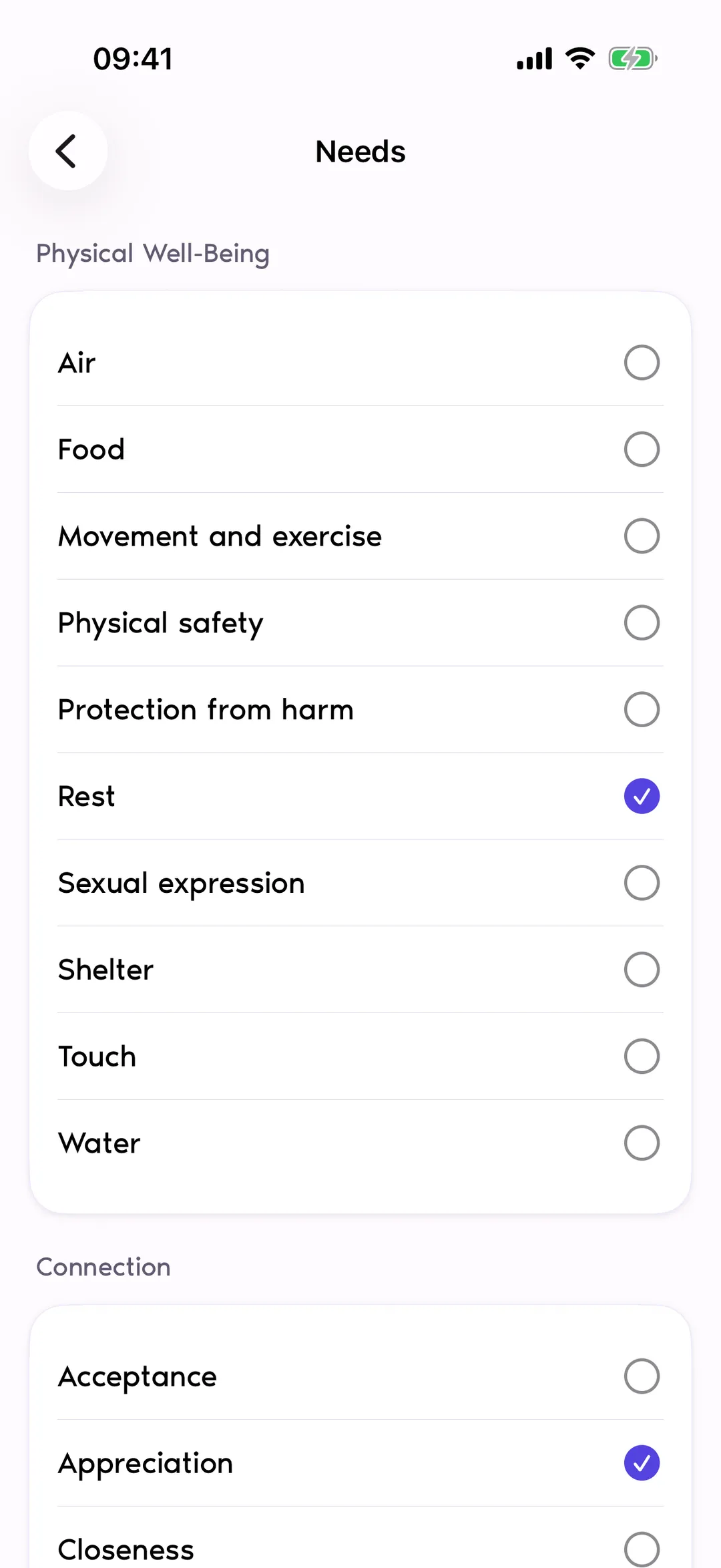
Choose from 36 feelings and rate each from 1 to 10. Then pick the needs behind them — 40 of them, inspired by the feelings-and-needs vocabulary of Nonviolent Communication. You make the connections; Reflexy gives you a place to record and revisit them.

Joy
19 feelings
- Amazed
- Comfortable
- Confident
- Eager
- Energetic
- Fulfilled
- Glad
- Grateful
- Hopeful
- Inspired
- Intrigued
- Joyful
- Optimistic
- Proud
- Relieved
- Stimulated
- Surprised
- Touched
- Trusting

Sadness
6 feelings
- Disappointed
- Helpless
- Hopeless
- Lonely
- Reluctant
- Sad

Anger
7 feelings
- Angry
- Annoyed
- Confused
- Discouraged
- Impatient
- Irritated
- Uncomfortable

Fear
4 feelings
- Concerned
- Embarrassed
- Nervous
- Puzzled
…and the needs behind them
40 needs in 7 groups
Physical Well-Being 10
- Air
- Food
- Movement and exercise
- Physical safety
- Protection from harm
- Rest
- Sexual expression
- Shelter
- Touch
- Water
Connection 15
- Acceptance
- Appreciation
- Closeness
- Community
- Consideration
- Contributing to a richer life
- Emotional safety
- Empathy
- Honesty
- Love
- Reassurance
- Respect
- Support
- Trust
- Understanding
Autonomy 2
- Freedom to choose how to pursue your goals
- Freedom to choose your dreams, goals, and values
Meaning & Harmony 5
- Beauty
- Harmony
- Inspiration
- Order
- Peace
Play 2
- Fun
- Laughter
Celebration & Mourning 2
- Celebrating life and fulfilled dreams
- Mourning losses and unfulfilled dreams
Integrity 4
- Authenticity
- Creativity
- Meaning
- Self-worth
Insights
Notice your patterns.
Insights summarizes what you recorded across a week, a month, six months, or a year: emotional balance, feelings, activities, aims, needs, and tags. Charts reflect your selections, not an analysis of your writing.
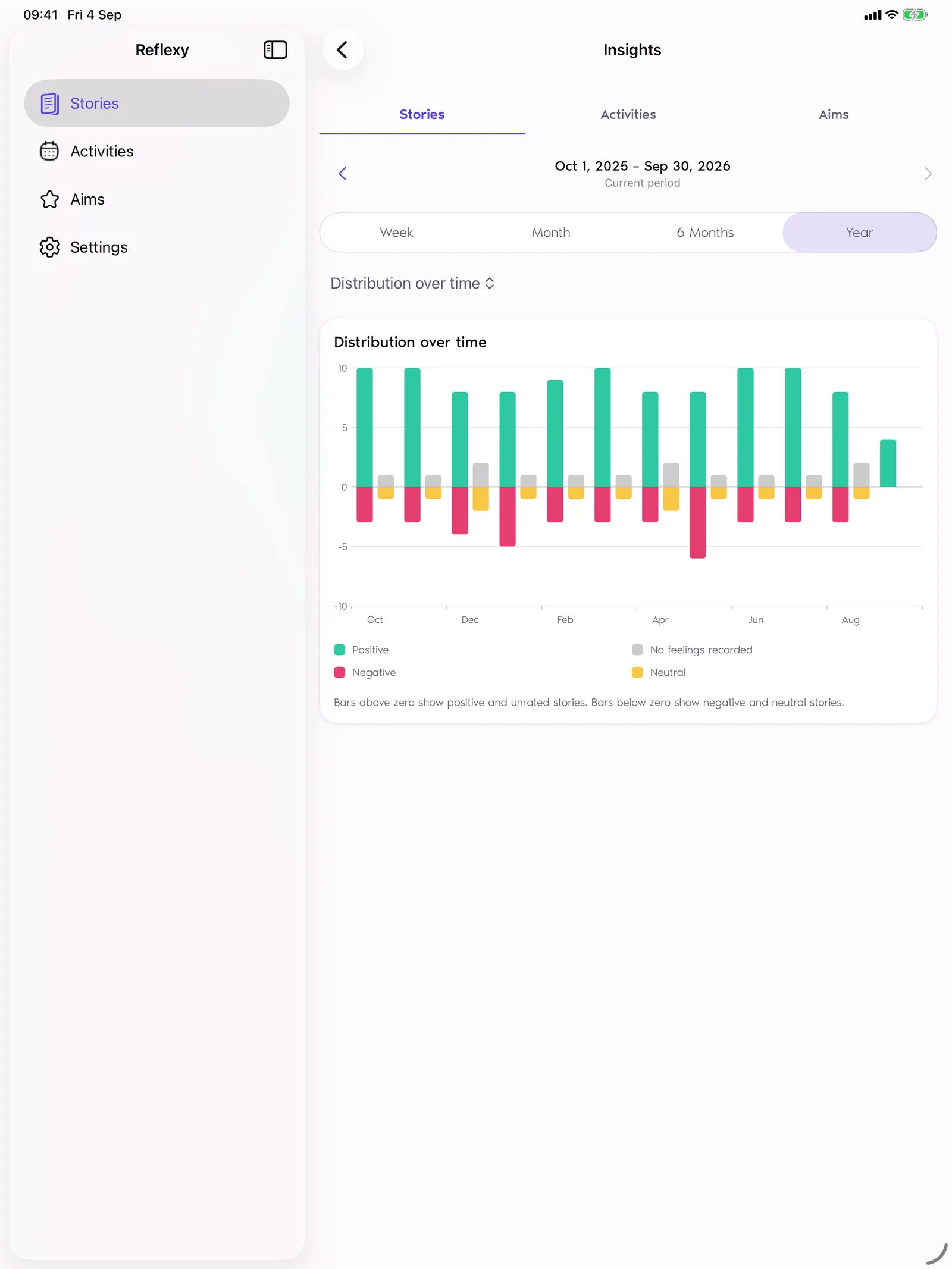
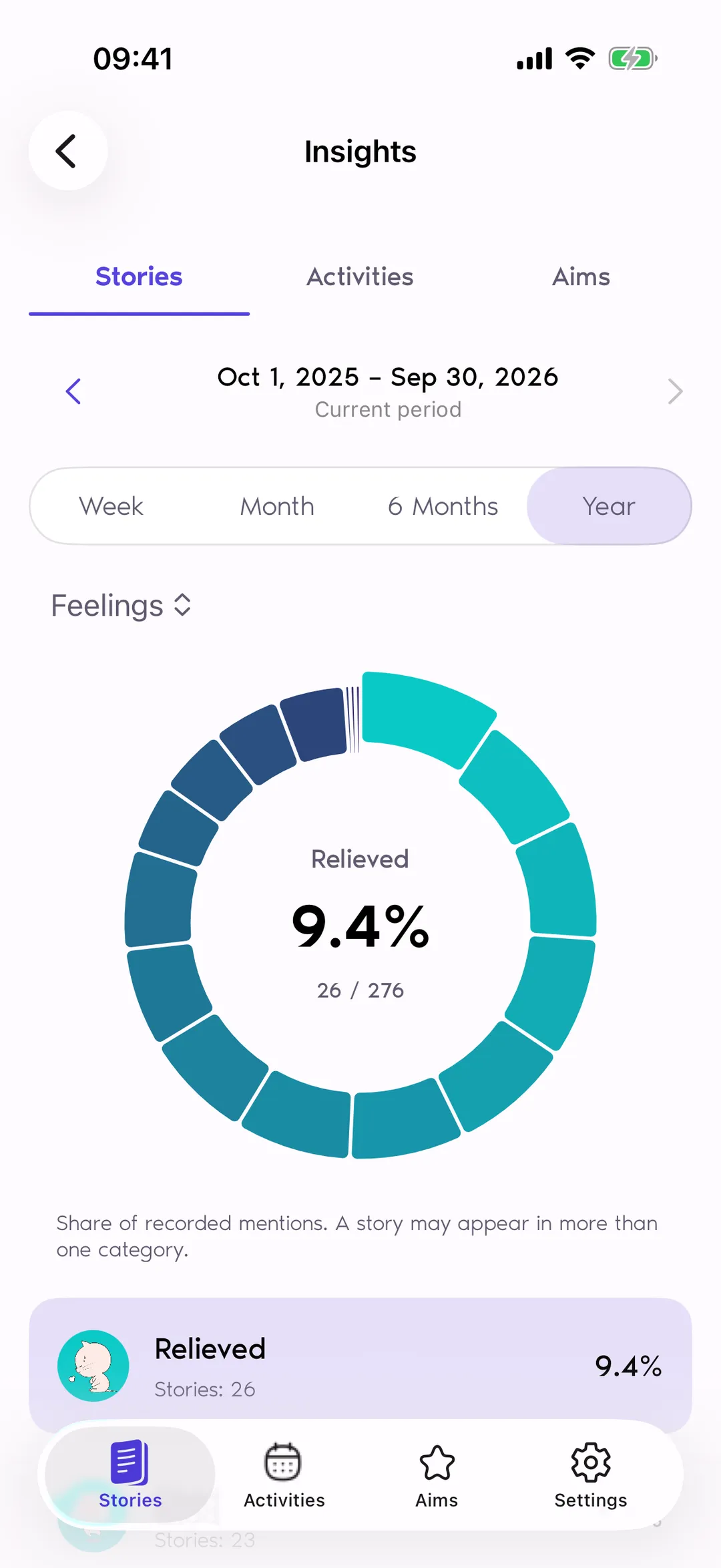
Periods follow the calendar: a Monday-to-Sunday week, a month, six months, or a year.
Privacy
Your journal stays yours.
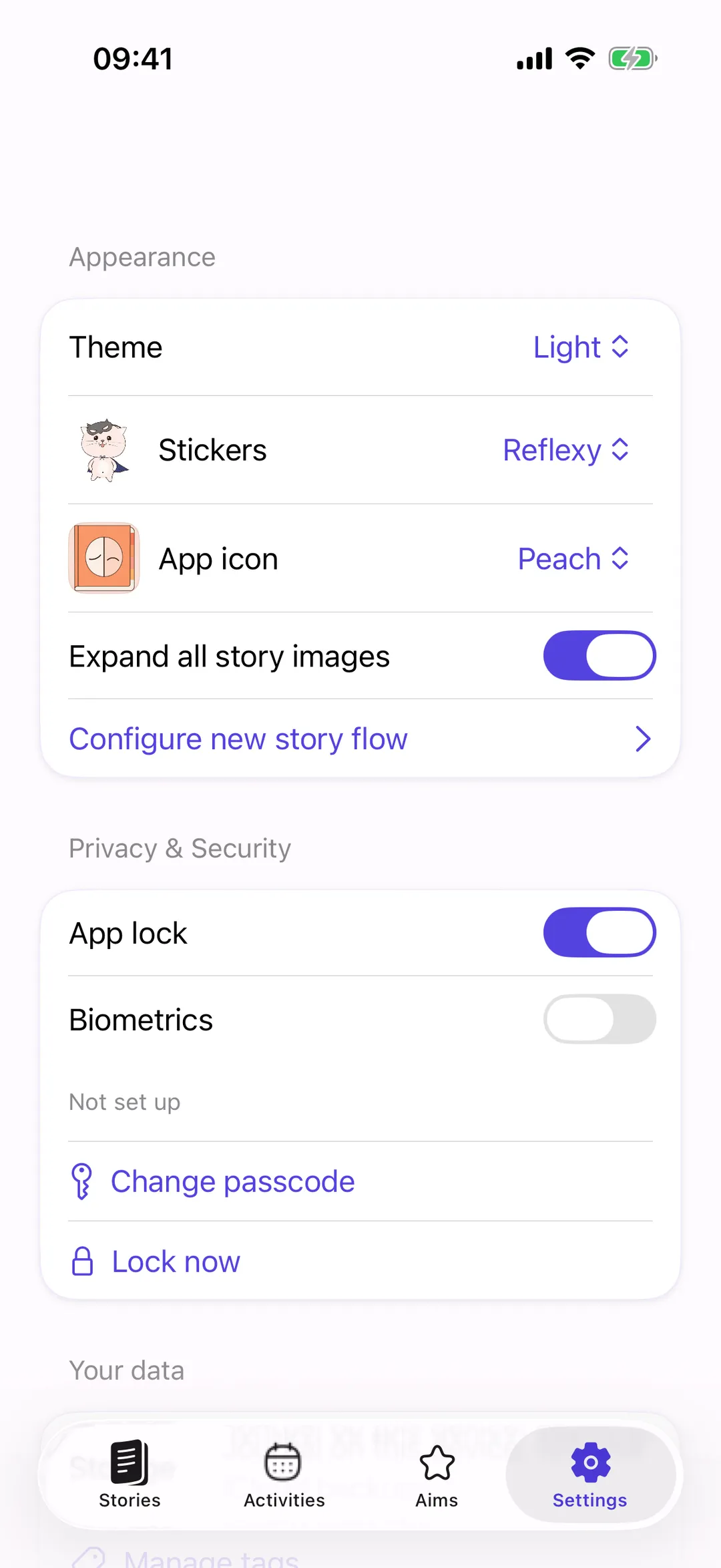
Stored on your device
Your entries and photos are stored on your device. You do not need a Reflexy account, and your journal is not sent to the developer or RevenueCat.
App lock, your way
App lock is on by default. Use a passcode and optional Face ID or Touch ID, or skip setup and turn it off in Settings.
Backups are your choice
Save encrypted backups to iCloud manually, enable automatic backups (off by default), or export a copy to keep elsewhere.
No ads, no tracking
Reflexy has no ads, advertising tracking, or its own behavioral analytics. Apple and RevenueCat process purchase information to support app access and payments.
Support on your terms
If you contact support, you can preview or exclude a small technical report before your email app opens. It never contains journal content and is never sent automatically.
Make it yours
Reflect in your own way.
Light or dark
Pick a light, dark, or system theme. Tap the screen to see both.
Tap to switch
Feeling stickers
Two sticker packs give every feeling a face. Choose the one you enjoy.


Your own flow
Configure new story flow: keep only the steps you use, from text and photos to feelings and needs.
- 1 Title & text
- 2 Activities
- 3 Photo & tags
- 4 Feelings
- 5 Needs
Also on iPad
The same journal, side by side with your day.
Pricing
Try it for 14 days. Keep it with one payment.
14-day free trial
- 14 days of full access
- Starts only when you choose
- Ends automatically — you won't be charged
Lifetime access
- One payment, yours forever
- No subscription, no renewal
- Your local price is shown in the App Store before you buy
After the trial, you can still read, import, export, and delete your journal. Creating or editing entries, Aims, and Activities requires full access.
Used Reflexy before this update? Verified users of earlier versions keep full access.

Questions
Questions people ask
Do I need an account?
No Reflexy account is required. Optional iCloud backups use your Apple iCloud account.
Does Reflexy use AI to analyze my entries?
No. Insights show only what you recorded. The charts count the Feelings, Needs, Activities, Aims, and tags you selected in your Stories, and Emotional tone uses the intensities you set. Nothing reads your text or photos to guess how you felt.
Reflexy has no AI features: no summaries, no suggestions, no predictions. You make the interpretation; the app gives you a vocabulary and a place to look back.
Do iCloud backups keep my devices in sync?
No. A backup is a saved copy of your journal, not live synchronization. You can create copies manually or turn on automatic backups, then import a backup when you need to restore or transfer your journal.
What happens when my trial ends?
You will not be charged automatically. Reading, importing, exporting, and deleting remain available. A one-time purchase gives you lifetime access to creating and editing as well.
| Platform | iPhone and iPad |
|---|---|
| Requires | iOS 17 or later |
| Price model | Free download · 14-day trial you start yourself · one-time lifetime purchase · no subscription |
| Account | None |
| Where data is stored | On your device, with iOS file protection |
| Backups | Encrypted .reflexy files; optional iCloud copies (saved copies, not live sync) |
| App lock | 6-digit passcode, optional Face ID or Touch ID |
| Ads and tracking | None; Apple and RevenueCat process purchase metadata only |
| AI | None; charts show what you recorded |
| Languages | English, German, Spanish, French, Japanese, Korean, Russian, Ukrainian, Simplified Chinese |
| Support | [email protected] |
| App Store ID | 6444420373 |
What Reflexy is not
- Not an AI app
- Not a mood predictor
- Not a medical device
- Not a subscription
- Not on Android or the web

Give today a moment of reflection.
Start with one Story. A few words, a feeling, or a moment worth remembering.