
How reflection works
How reflection works in Reflexy
Reflexy is a private journal for self-reflection on iPhone and iPad. A reflection starts with a Story about something that happened. You name the feelings that came with it and rate each one, choose the needs behind them, and connect the entry with your Aims and everyday Activities. Insights then shows what you recorded, period by period.
Step 1 · Stories
Start with a Story
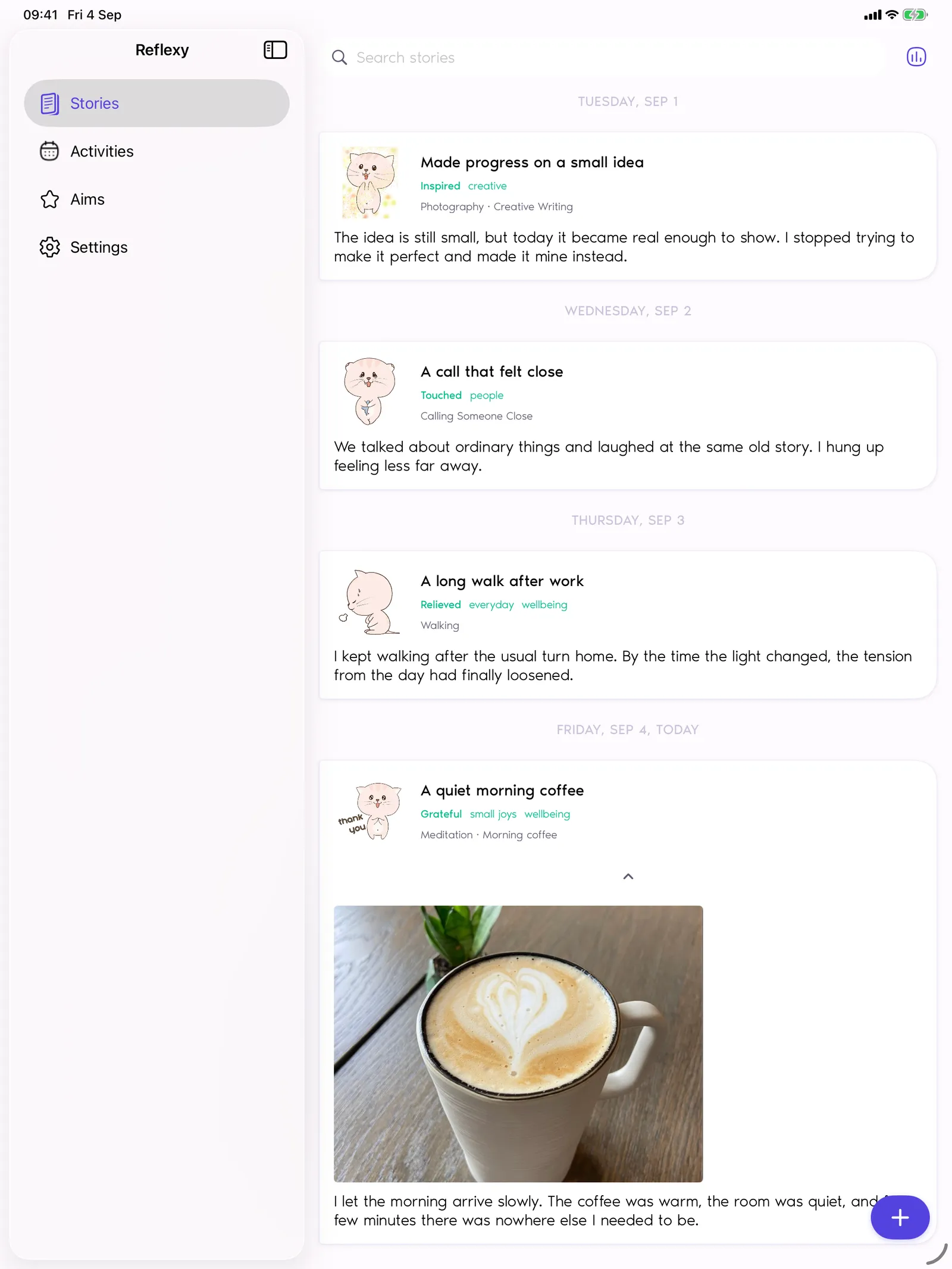
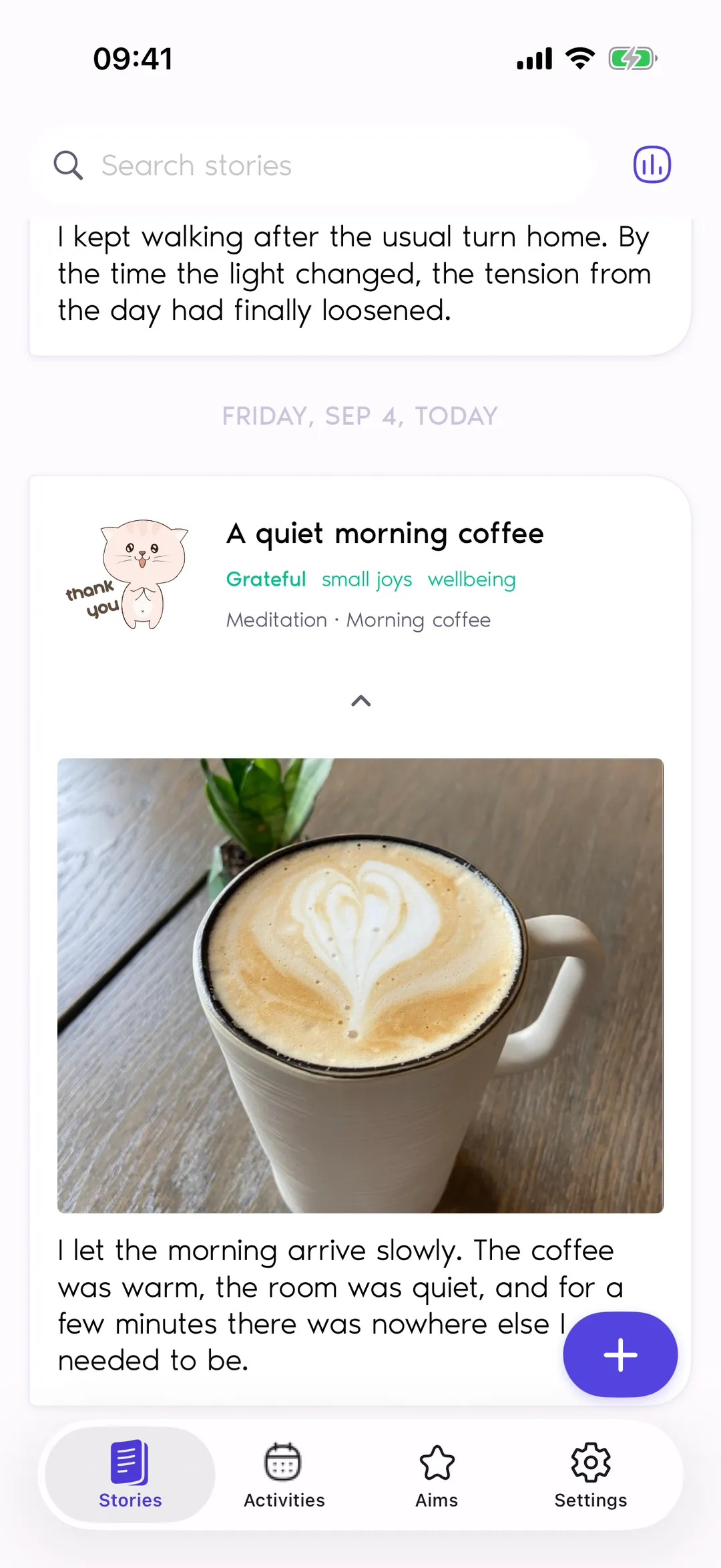
A Story in Reflexy is an entry about something that happened: a conversation, a walk, a good afternoon. The Stories screen lists your entries by day, so you can scroll back through your journal, open any moment again, and find past entries with search and tags.
A day can hold several Stories, and an entry can be dated today or in the past. Everything inside a Story is optional, so a few words or a single photo can be a complete entry.
Step 2 · Story editor
Write as much or as little as you like
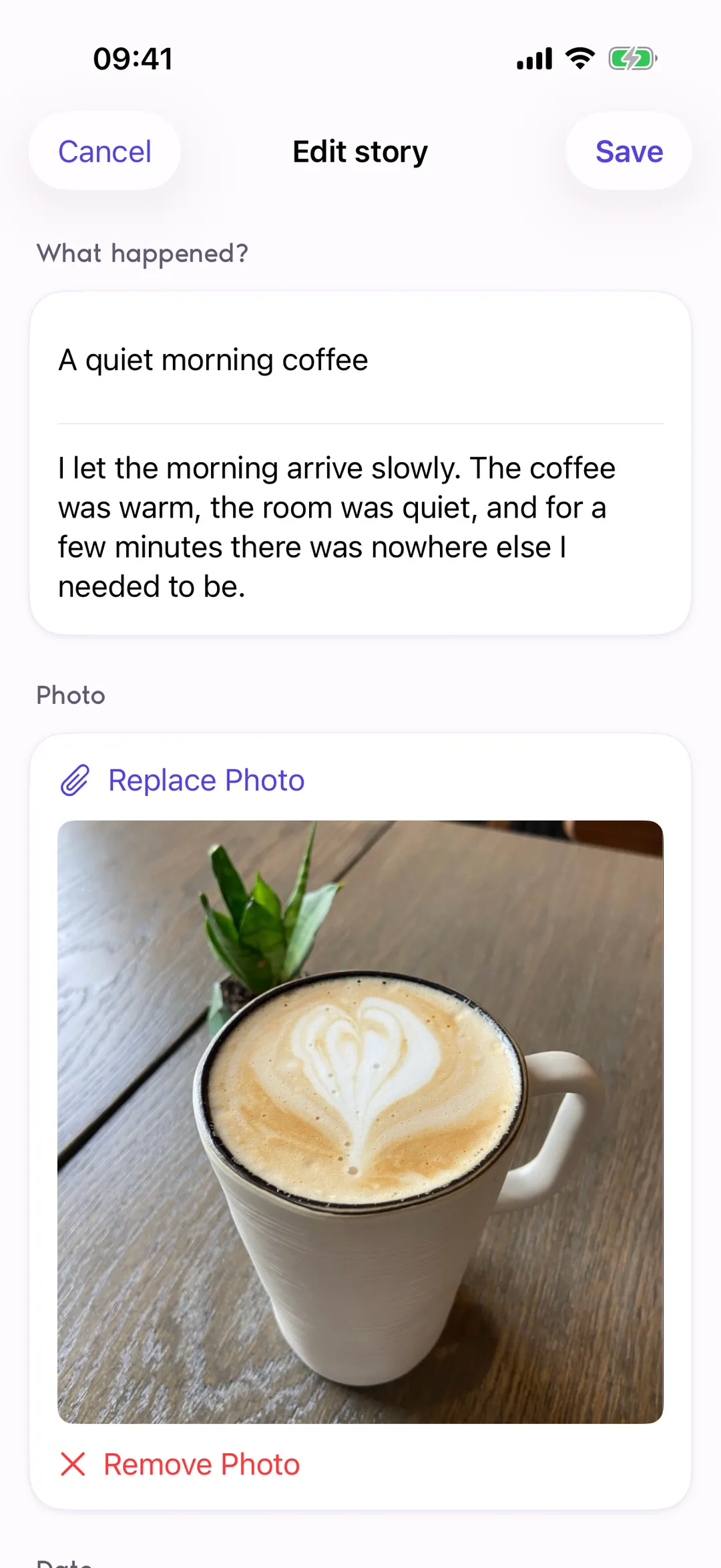
Creating a Story in Reflexy takes five steps: title and description, Activities, a photo and tags, Feelings, and Needs. Each step is optional. You can skip any of them while writing, or turn off the ones you do not use in Settings, so a short reflection still has a place.
A Story holds text, one photo, tags, a date, activities, feelings, needs, and the aims those activities support. Photos come through the system photo picker, so Reflexy receives only the picture you choose.
Step 3 · Feelings
Name your feelings and rate their intensity
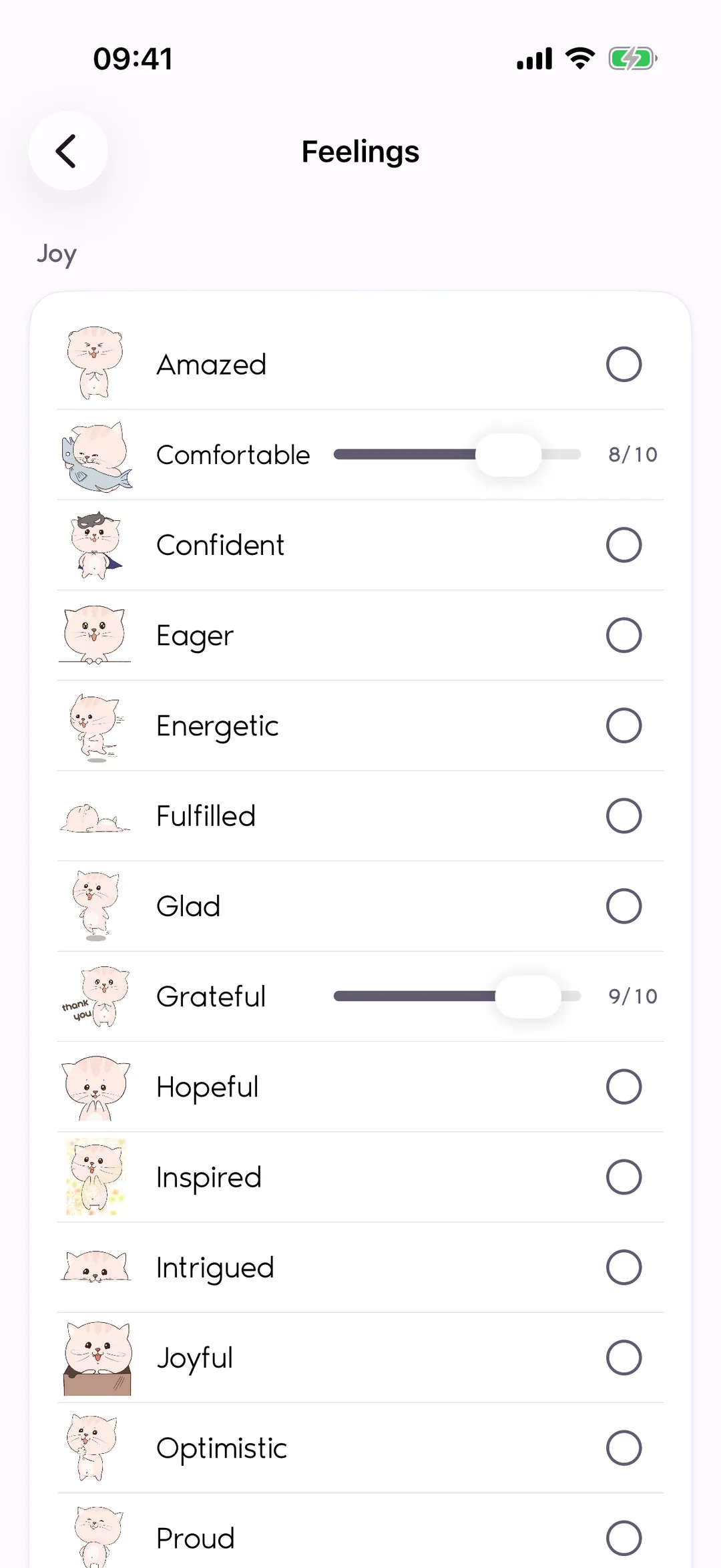
Reflexy includes 36 feelings in four groups: Joy, Sadness, Anger, and Fear. When you complete a Story, choose as many feelings as fit the moment and rate each one for intensity from 1 to 10. The intensity starts at 5, and you move it up or down.
Mixed feelings are expected: a Story can hold Grateful at 9 and Concerned at 3 side by side. Intensity is your own rating of how strong a feeling was, not something Reflexy measures.
Step 4 · Needs
Choose the needs behind them
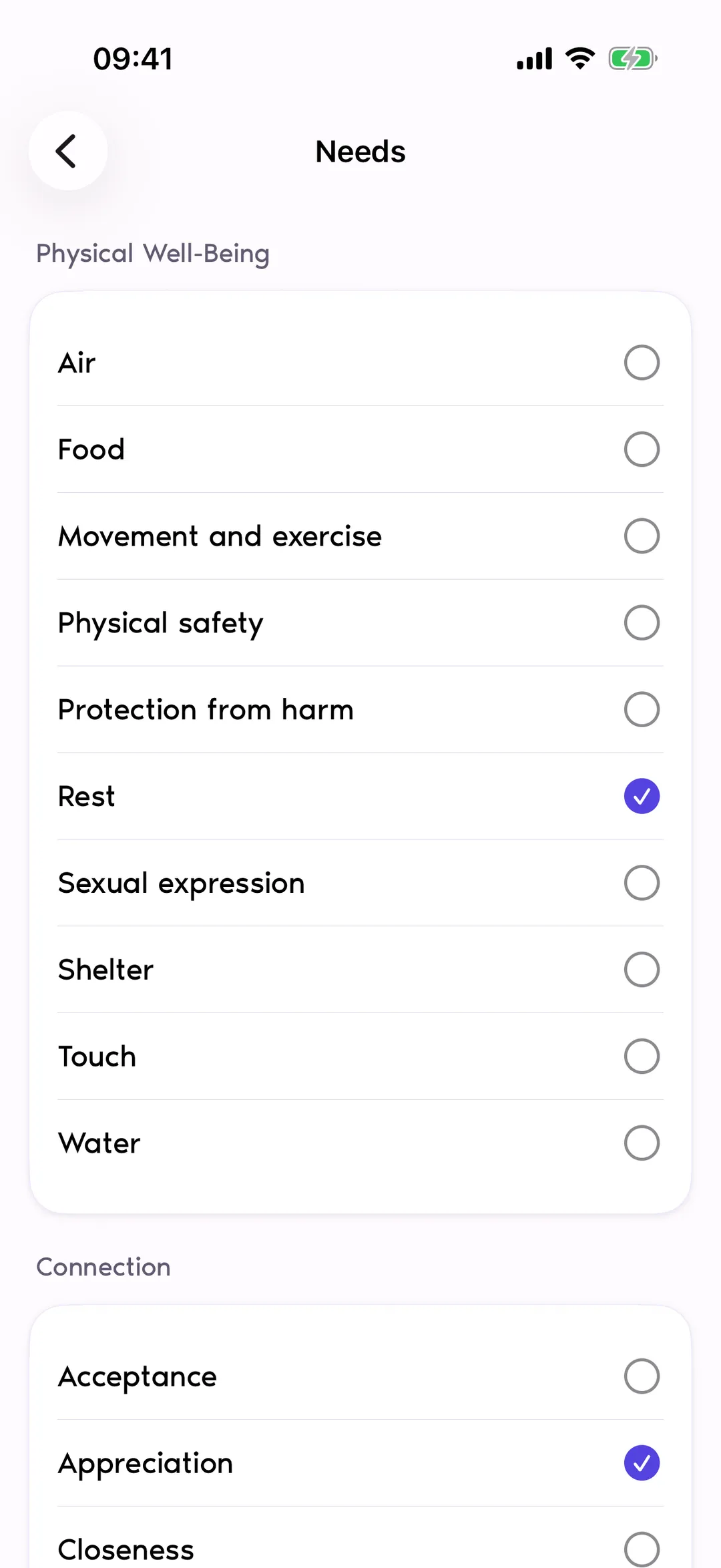
Needs are what mattered to you behind a feeling: rest, trust, autonomy, connection. Reflexy includes 40 needs in seven groups, from Physical Well-Being to Integrity, and you pick the ones that feel relevant to that moment. Reflexy does not infer needs from your feelings or your writing; it records the ones you selected.
The seven groups are Physical Well-Being, Connection, Autonomy, Meaning & Harmony, Play, Celebration & Mourning, and Integrity. The same vocabulary is used when you attach needs to an Aim.
Step 5 · Aims
Keep your goals as Aims
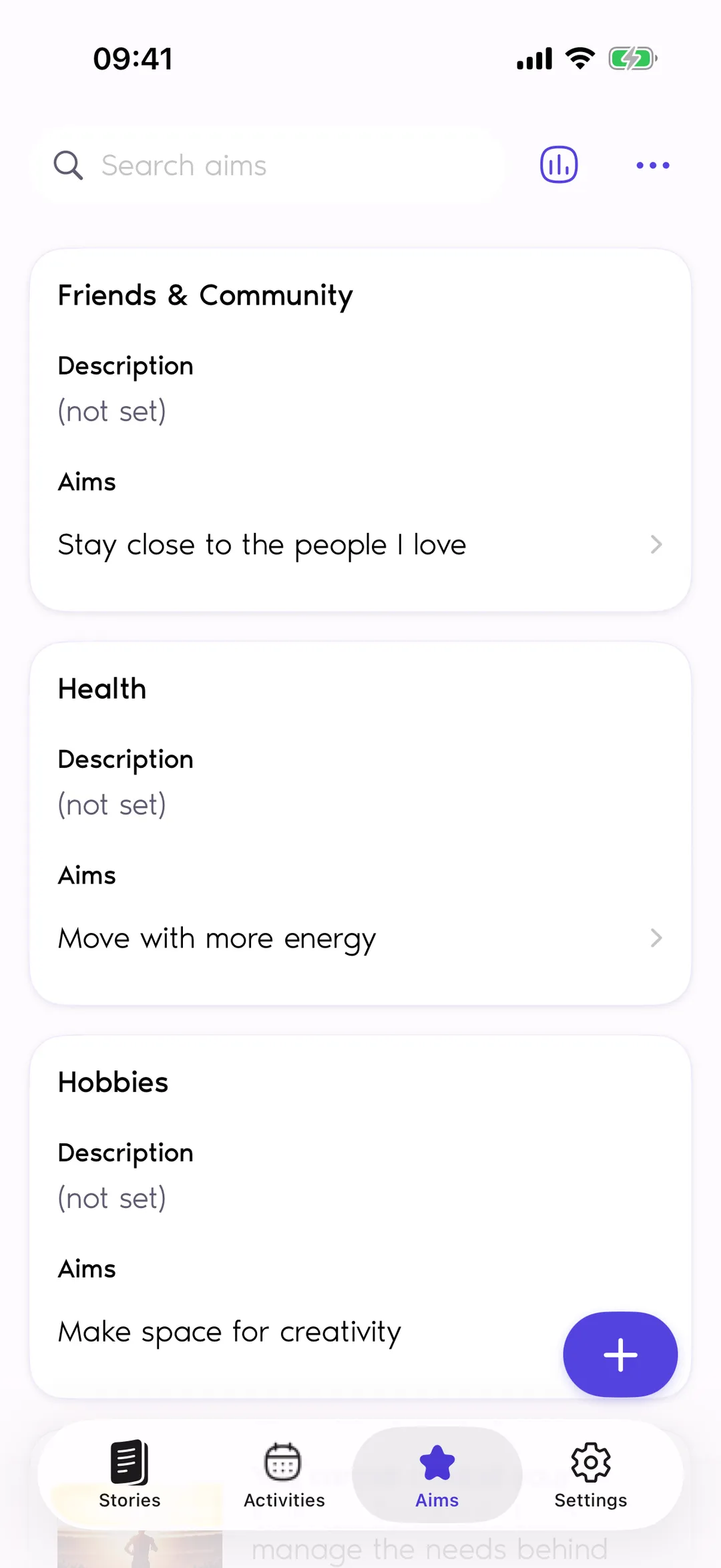
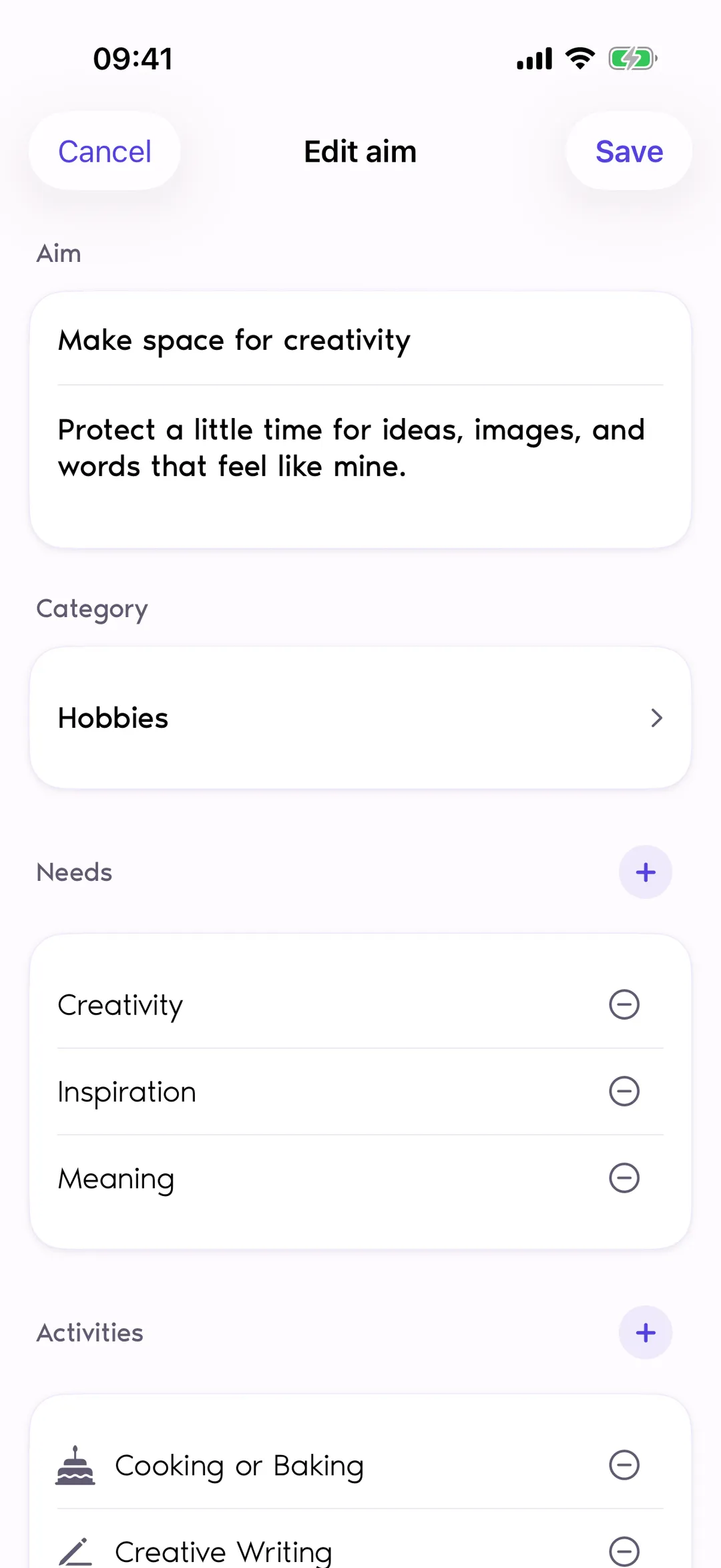
Aims in Reflexy are your own goals, such as spending more time outdoors or getting more rest. An Aim can be connected to the needs it supports and to the Activities that help with it, so a goal stays tied to real things you do rather than to a deadline.
When you record an activity in a Story, you choose which of its Aims it supported, so the aim appears in your journal and in Insights. Mark an aim accomplished when it feels done; there are no deadlines or progress targets.
Step 6 · Activities
Connect reflection with everyday activities
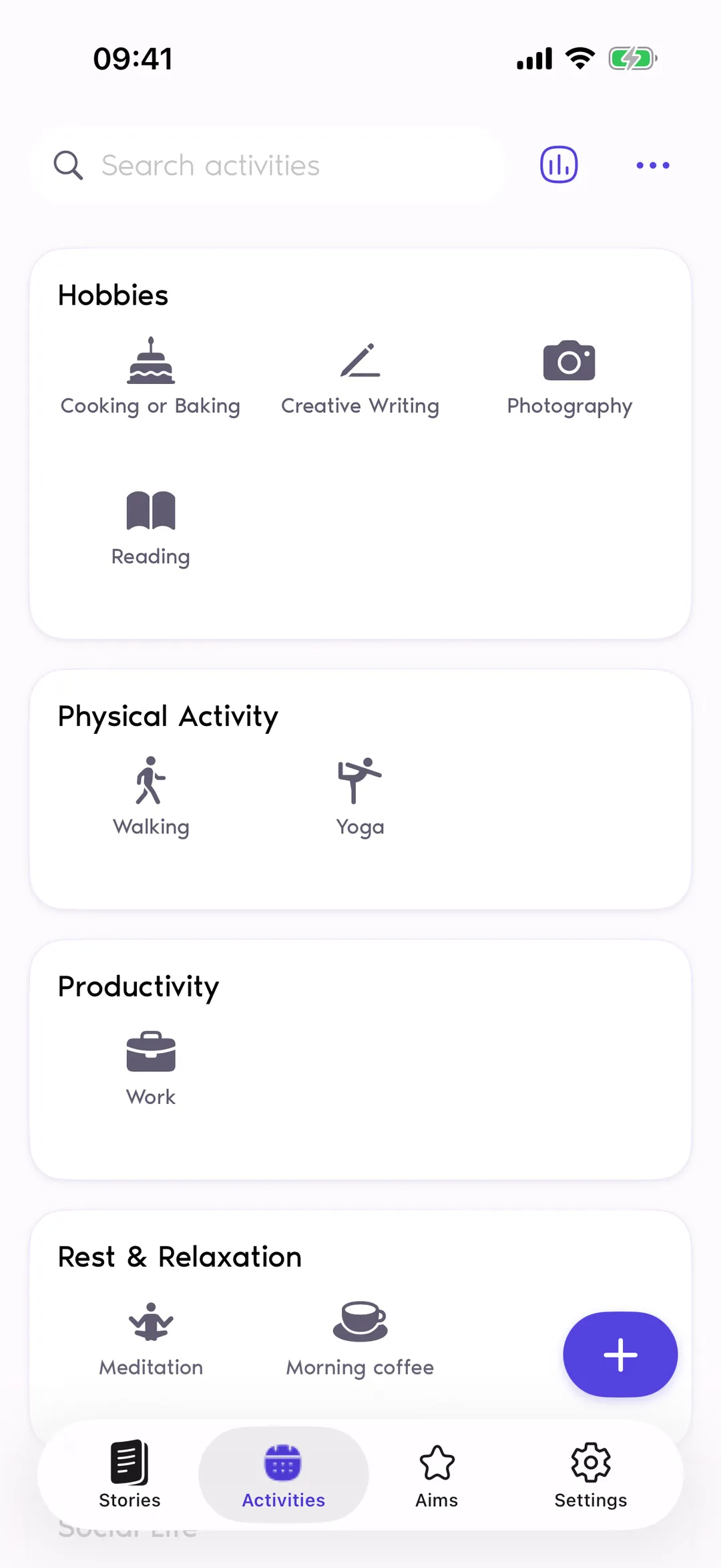
Activities are things you do: walking, reading, time with family. Reflexy suggests 67 activities in eight categories, and you can add your own activities and categories. Recording an activity in a Story links that moment to the Aims the activity supports, which is how reflection and everyday life meet in your journal.
Categories such as Hobbies and Physical Activity keep the list easy to scan, and your own additions sit alongside the suggestions. Nothing counts days in a row: an activity appears in your journal only when you record it in a Story.
Step 7 · Insights
Look back over a period
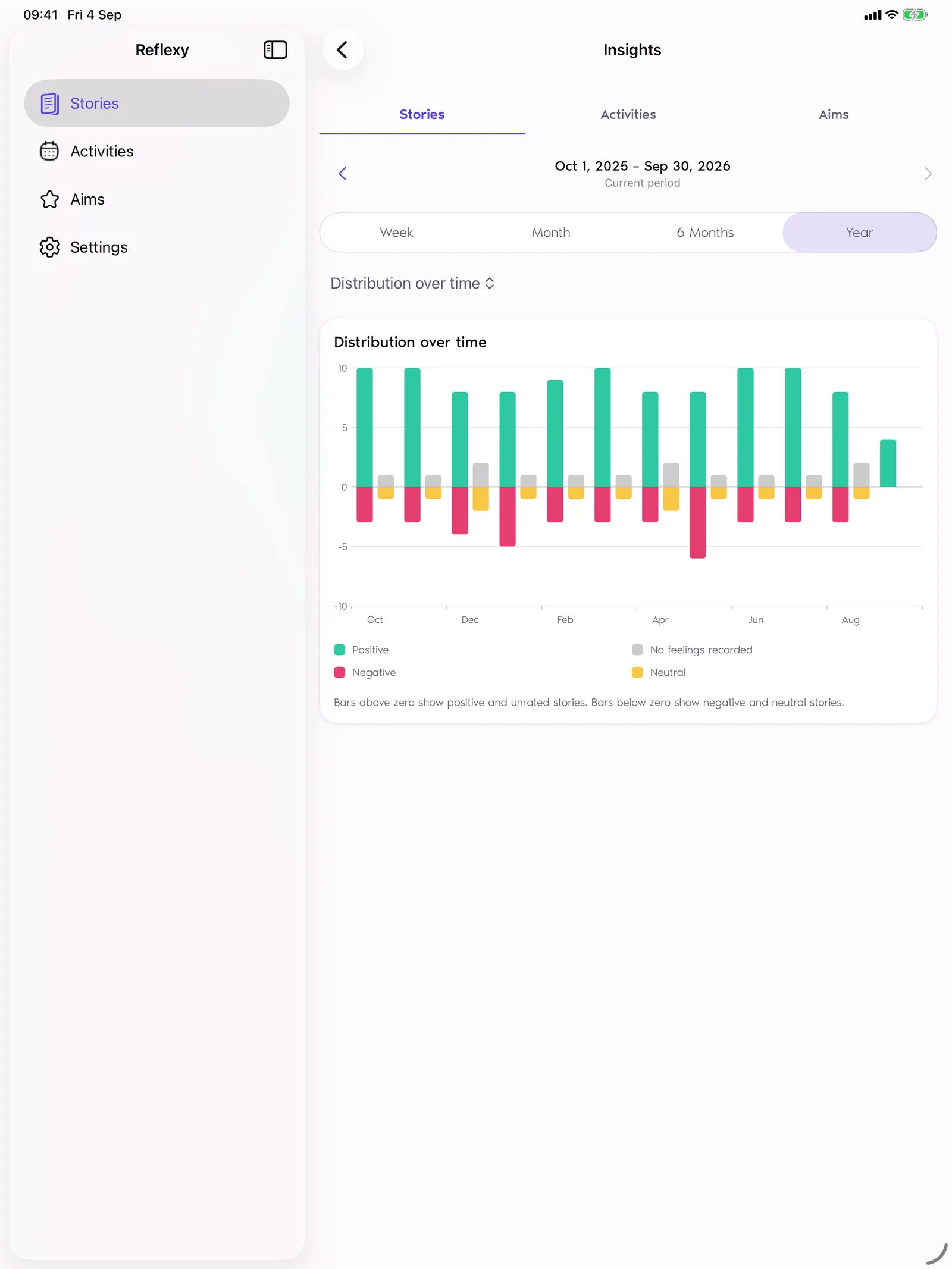
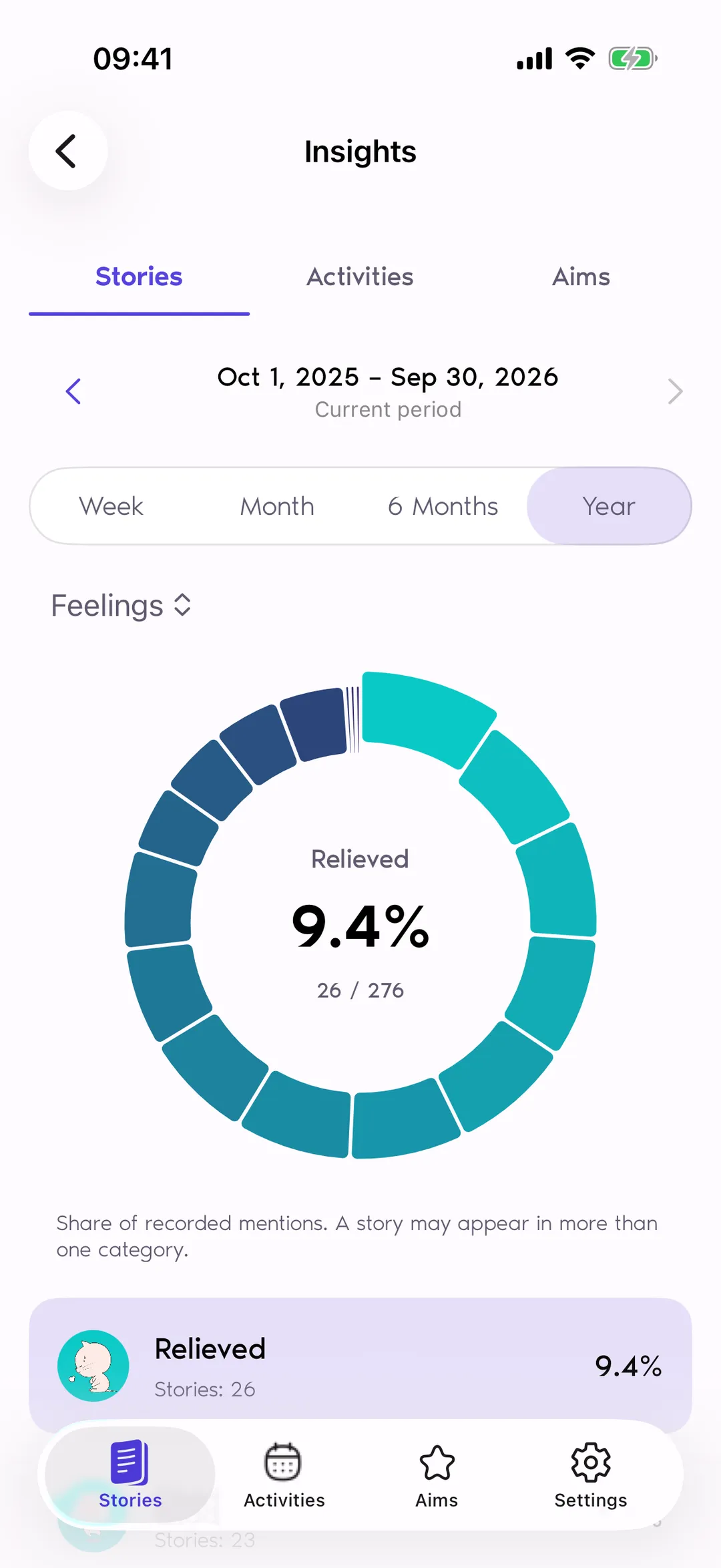
Insights in Reflexy summarizes what you recorded across a calendar period: a week from Monday to Sunday, a month, six months, or a year. Charts show emotional balance and the distribution of feelings, activities, aims, needs, and tags. Charts reflect your selections, not an analysis of your writing.
Emotional balance shows positive, negative, and neutral stories over the period; the other charts show how often each feeling, activity, aim, need, or tag appeared. Nothing reads your text or photos, and there are no scores, predictions, or suggestions.
Step 8 · Settings
Make the journal your own
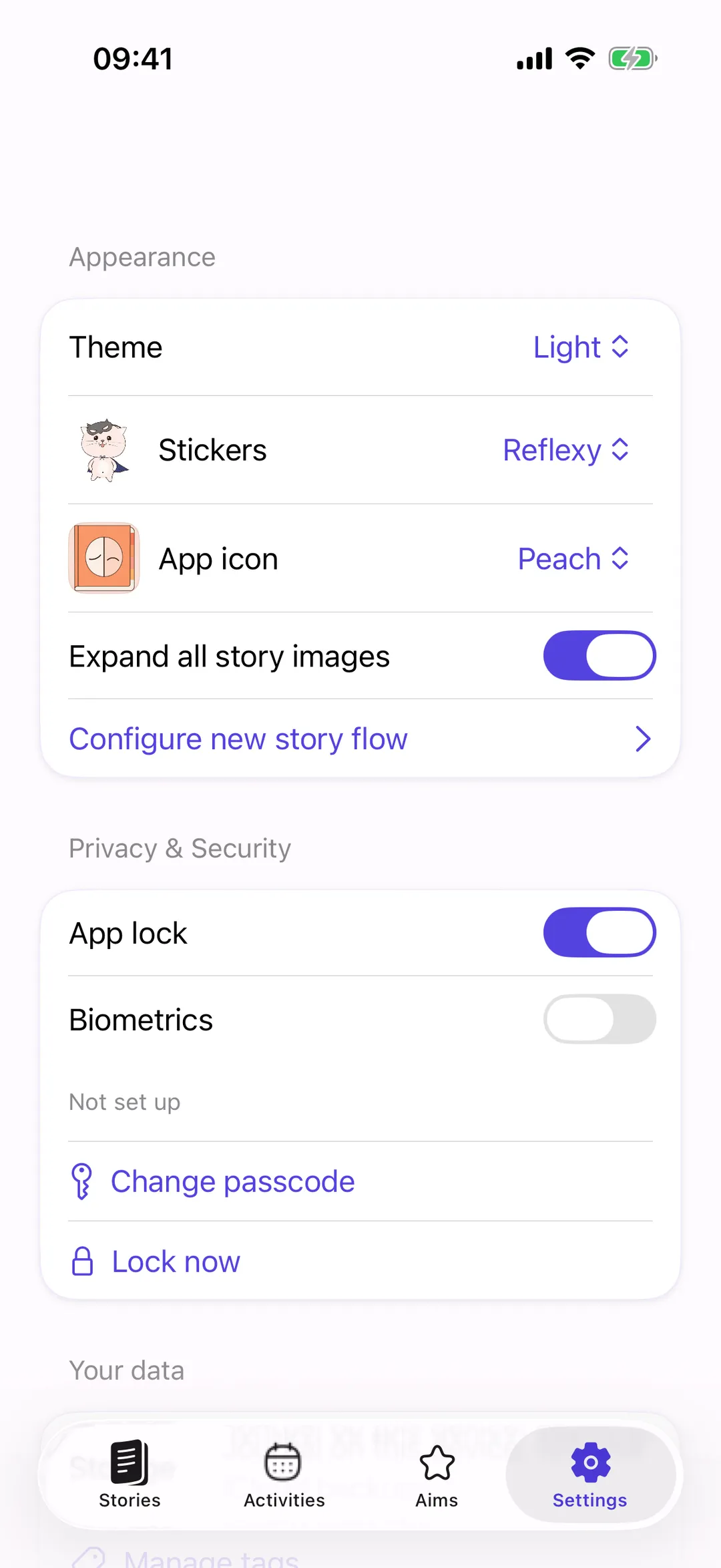
Settings in Reflexy is where you shape the app: choose a light, dark, or system theme, pick a sticker pack and an app icon, decide whether photos start expanded, and configure the new story flow so only the steps you use appear. App lock, backups, and erasing the journal live here too.
App lock is on by default, with a six-digit passcode and optional Face ID or Touch ID. Backups are encrypted .reflexy files you export or save to iCloud. “Erase journal on this device” lets you start over.
To be clear
What Reflexy is not
Reflexy is a journal for self-reflection, and it helps to be clear about what it is not. It does not score your days, it does not manage tasks with deadlines, it is not therapy or a medical device, and it has no AI. It records what you chose to write and select, and shows that back to you.
Not a routine tracker
Nothing counts consecutive days, and nothing nudges you to keep a score going. Activities appear in your journal only when you record them in a Story, and Insights counts what you recorded.
Not a to-do app
Aims are goals you keep in view, not tasks with due dates. There are no deadlines, recurring reminders, task hierarchies, or progress targets. You mark an aim accomplished when it feels done.
Not therapy or a medical device
Reflexy is a journal for self-reflection. It does not provide diagnosis, treatment, therapy, or emergency assistance, and it does not score your mood. If something feels serious, talk to a doctor, a therapist, or a local emergency service.
Not an AI app
Nothing reads your text or photos to guess how you felt. There are no summaries, suggestions, or predictions. Charts count the feelings, needs, activities, aims, and tags you selected; you make the interpretation.

Try a reflection of your own.
Reflexy is free to download for iPhone and iPad, with iOS 17 or later and no Reflexy account. Start with one Story: a few words, a feeling, or a moment worth remembering. When you are ready, choose 14 days of full access; it never converts to a charge.

For iPhone and iPad · iOS 17 or later · No Reflexy account needed